EYE SHADOW JIGSAW cover

Puzzle game

EYE SHADOW JIGSAW

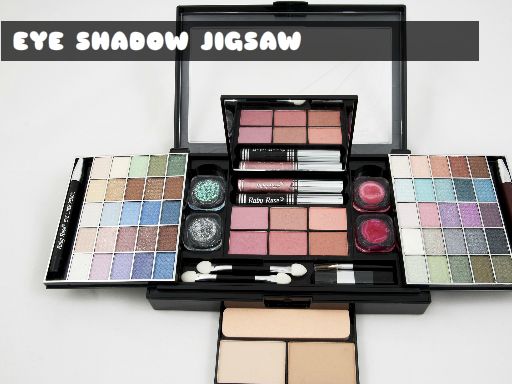
Rebuild makeup and eyeshadow palette pictures piece by piece, using the palette edges as your landmarks.

Difficulty
Easy to moderate
Compatibility
See device support below

Game overview

EYE SHADOW JIGSAW is a jigsaw game built on makeup photography, so the pictures you rebuild are palettes, brushes and blended colour rather than landscapes. That changes how you solve it: there are few hard outlines to work from and a lot of gradient, which makes the border and the palette edges your best landmarks. Nothing is timed, so you can work through a picture in one sitting or leave it half done and come back.

This title is best suited to a calm jigsaw session with no timer.

How to play EYE SHADOW JIGSAW

  1. Check the reference picture before you start placing pieces
  2. Drag the edge and corner pieces into the frame first
  3. Group the remaining pieces by shade, since the artwork is mostly gradient
  4. Fill in the interior until the picture is complete

Controls

  • Drag: Move a jigsaw piece into position
  • Tap / click: Pick up a piece from the tray

Objectives and failure conditions

Objectives

  • Place every piece correctly
  • Rebuild each makeup picture
  • Finish the puzzle at your own pace

The run ends or fails when

  • A piece that does not belong returns to the tray, so the puzzle simply stays open

Gameplay mechanics

  • Classic jigsaw piece placement
  • Edge-first assembly
  • Untimed play with no penalties

Device compatibility

Desktop browsers

Mouse or trackpad: EYE SHADOW JIGSAW loads straight into the page on desktop Chrome, Edge, Firefox and Safari with no download or plugin. Controls used: Drag, Tap / click.

Phones and tablets

Touch controls: EYE SHADOW JIGSAW is driven by pointer input, which maps to tap and drag on a touch screen.

Tips for EYE SHADOW JIGSAW

  • Complete the border before touching the middle
  • Sort pieces into light, mid and dark shades before placing any
  • Use the hard lines of the palette casing as anchors in the gradient areas

What worked well and what did not

Pros

  • Calm, unhurried puzzle solving
  • Reference image keeps a gradient-heavy picture solvable

Cons

  • Blended colour areas look very similar
  • Little variety beyond the pictures themselves

Player comments

No published comments yet.